Joining a community as an editor lets you add and manage places and events. You can request to join a community that allows public requests, or accept a direct invitation from a community owner or moderator.
-
Create a free account and sign in
You need a Places account before you can join a community. Don't have one yet? Create a free account.
-
Find a community to join
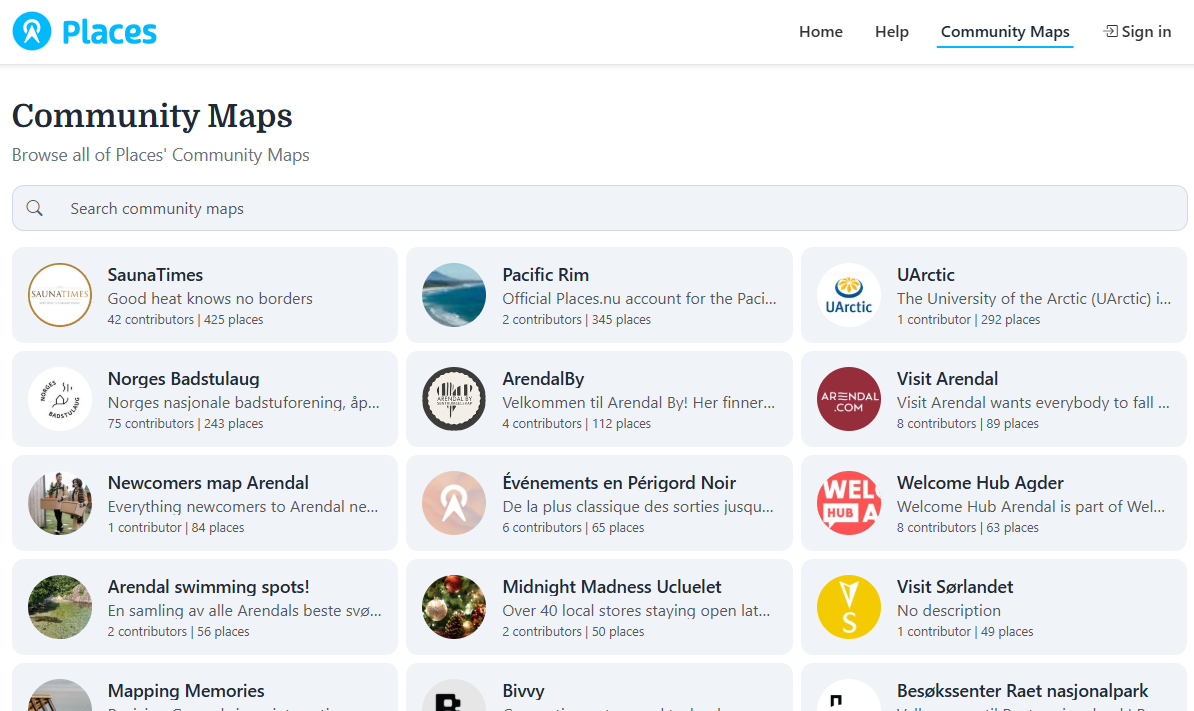
Browse all communities and open the one you would like to contribute to.
-
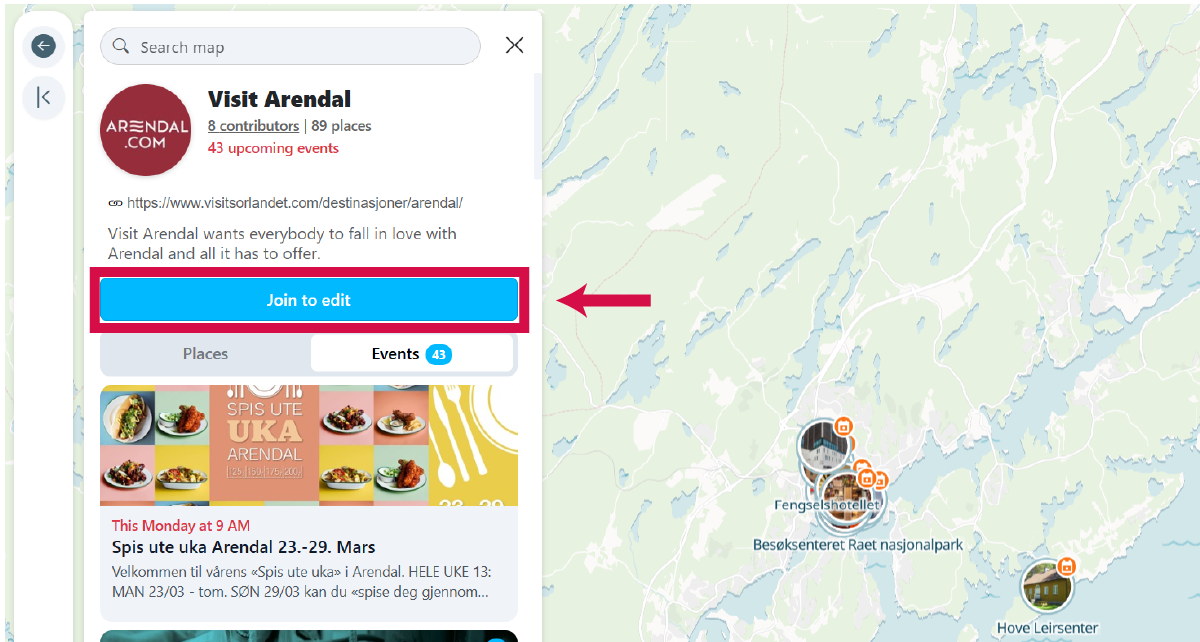
Click the "Join to edit" button
This button is visible on the community map when you are signed in and the community allows public join requests. Click it to send a request to the community owner.
-
Wait for approval
The community owner or moderator will review your request. Once approved, you will receive a welcome email and be added as an editor. If the community has auto-approval enabled, you will be added immediately.
-
Alternatively, accept a direct invitation
Community owners and moderators can also invite you directly by email. Check your inbox for an invitation link and follow the instructions to join.