Display your community map or event calendar on your own website. Register your site, copy the embed code, and paste it into your website—works with WordPress, Squarespace, Wix, and any platform that supports HTML embeds.
-
Sign in and navigate to your community
Navigate to the community you want to embed. You must be the owner or a moderator to access embed settings.
-
Click the Manage button
The Manage button only appears if you are signed in and are the owner or moderator of the community.

-
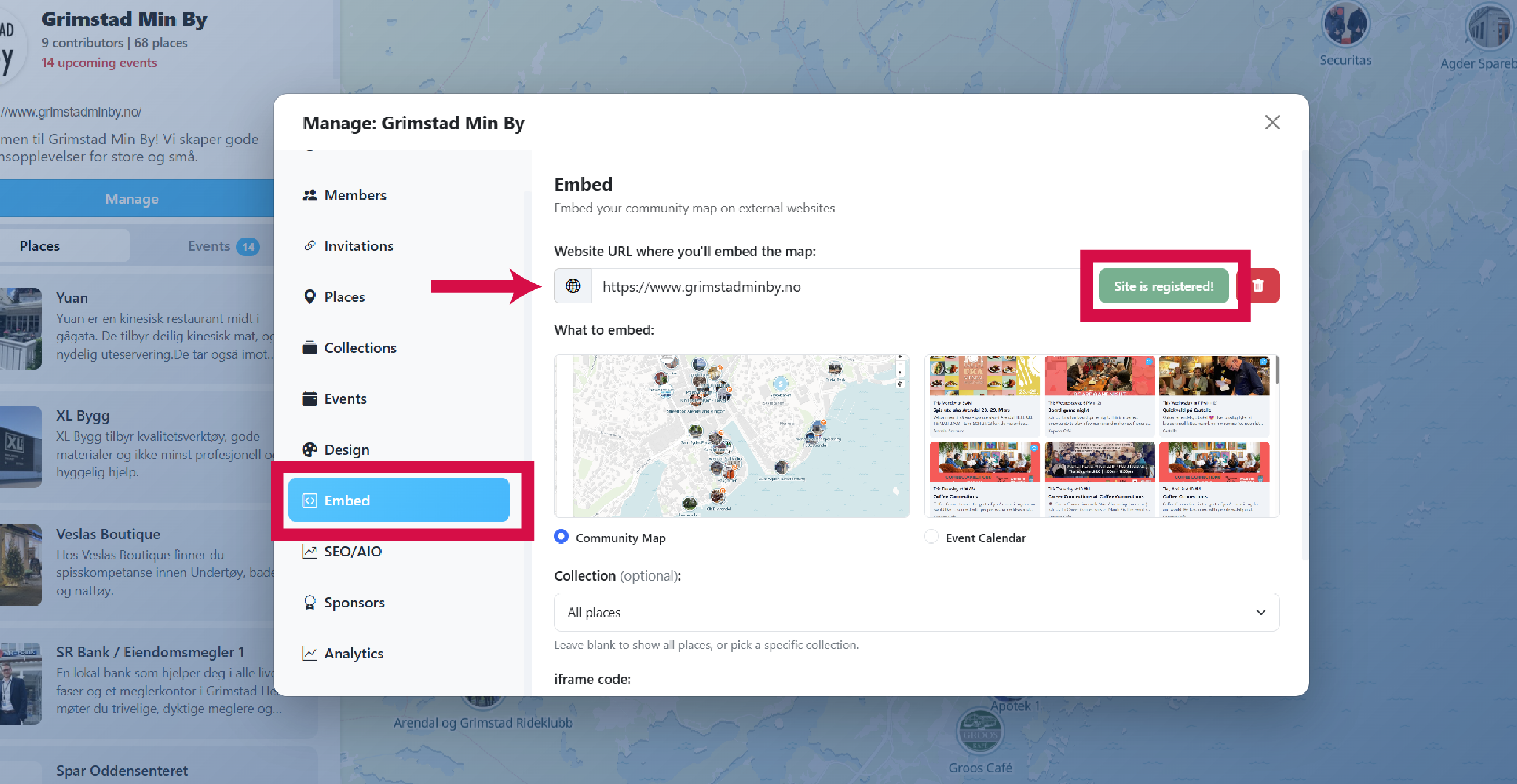
Navigate to Embed and register your site
Go to the Embed section in the Manage panel and register the website where you'll embed your map or calendar.
- Enter your website URL.
- Click Register this site.
Note: You can only register one domain per community. Your embed can appear on multiple pages within that website.
-
Select what to embed
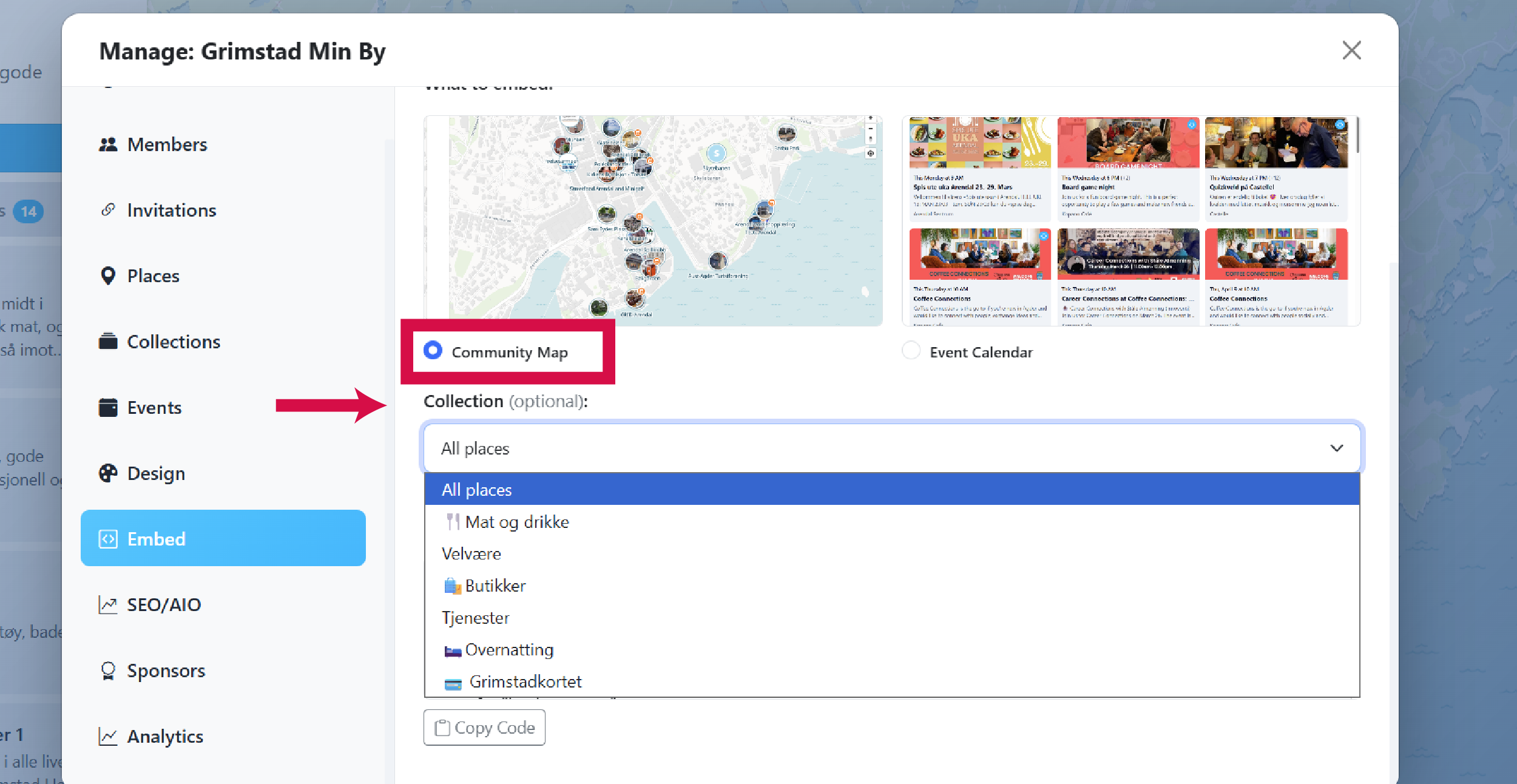
Choose Community Map or Event Calendar under What to embed.
Community Map
Optionally pick a collection to embed only places from that collection.
Event Calendar
Optionally filter by organizer to show only one member's events. The generated iframe uses your community calendar URL, for example
/p/your-community/calendar/?embedded=true.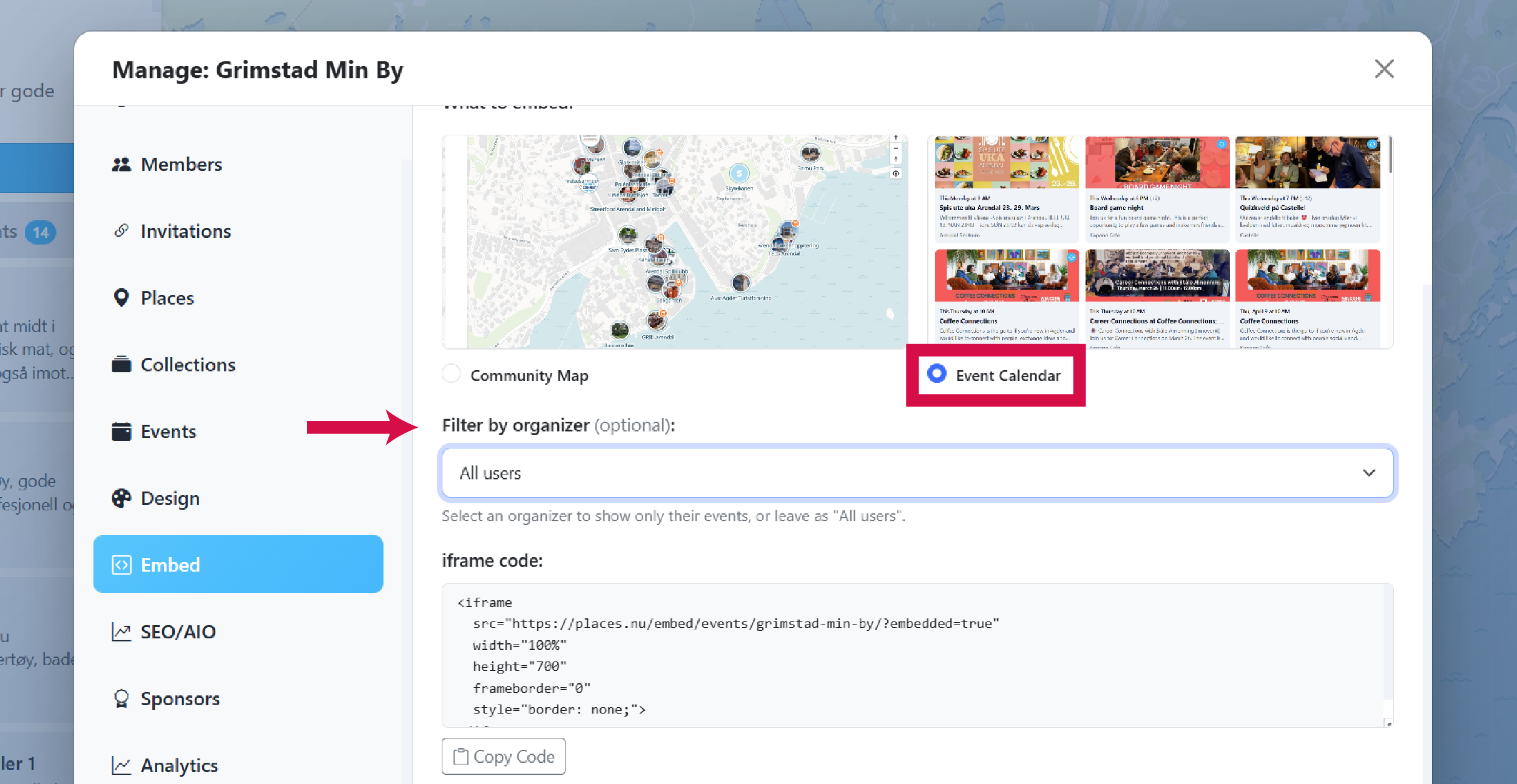
-
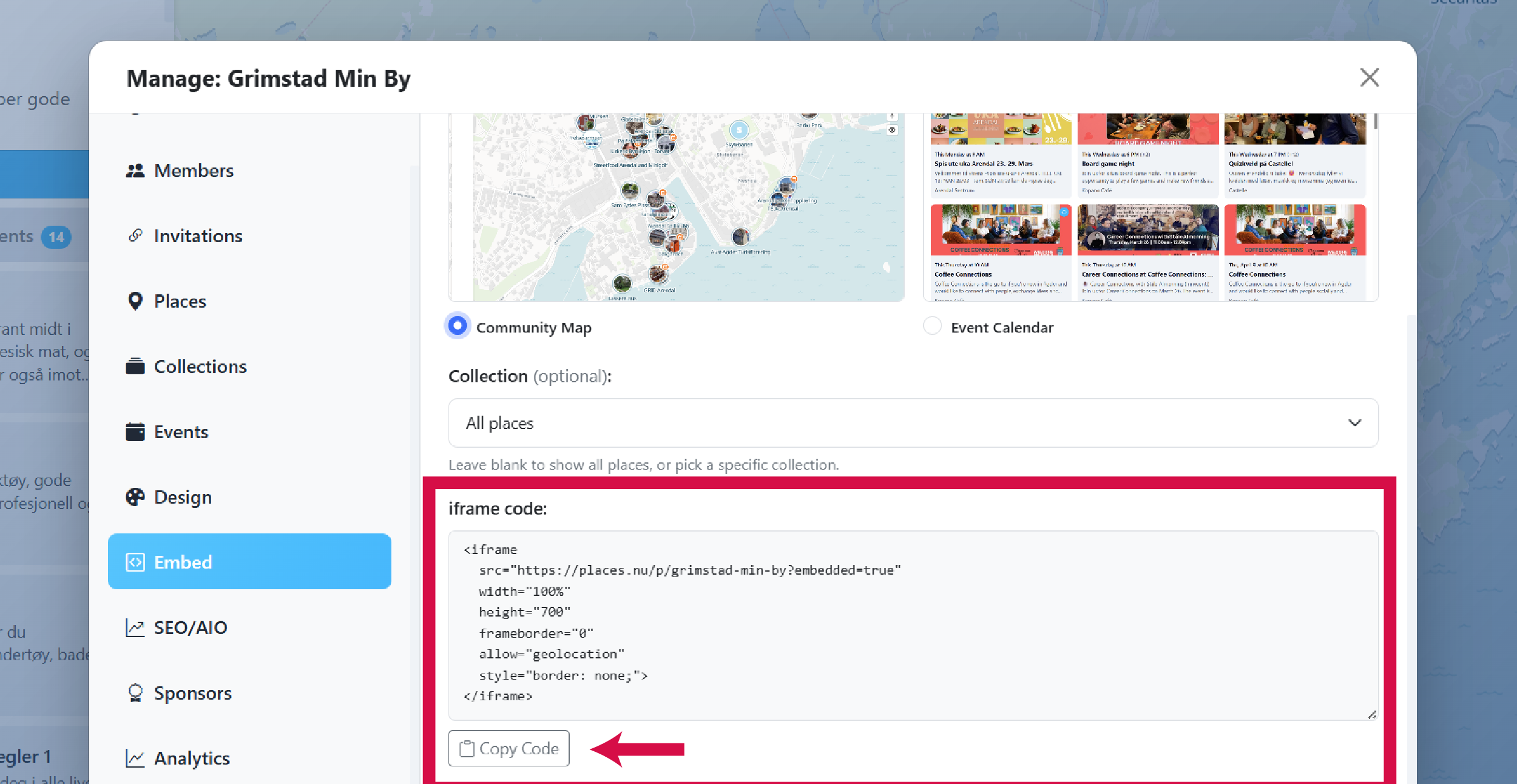
Copy and use the embed code
The embed code is generated automatically. Click Copy Code and paste it into your website where you want the map or calendar to appear.
If you're not sure how to embed an iframe on your website, share the code with your developer, or contact us.