Build a team to help manage your community. There are three roles with different levels of access:
- Owner: Full access to all features, including the ability to delete the community map and upgrade editors to moderator role.
- Editor: Can add and edit places, and add and edit events to the community.
- Moderator: Has most owner privileges—can edit community information, create collections, add sponsors, and approve new members—but cannot delete the community.
-
Sign in and click on your community
Navigate to the community where you want to manage team members. You must be the owner or a moderator of the community to invite and manage members.
-
Click the Manage button
The Manage button only appears if you are signed in and are the owner or moderator of the community.

-
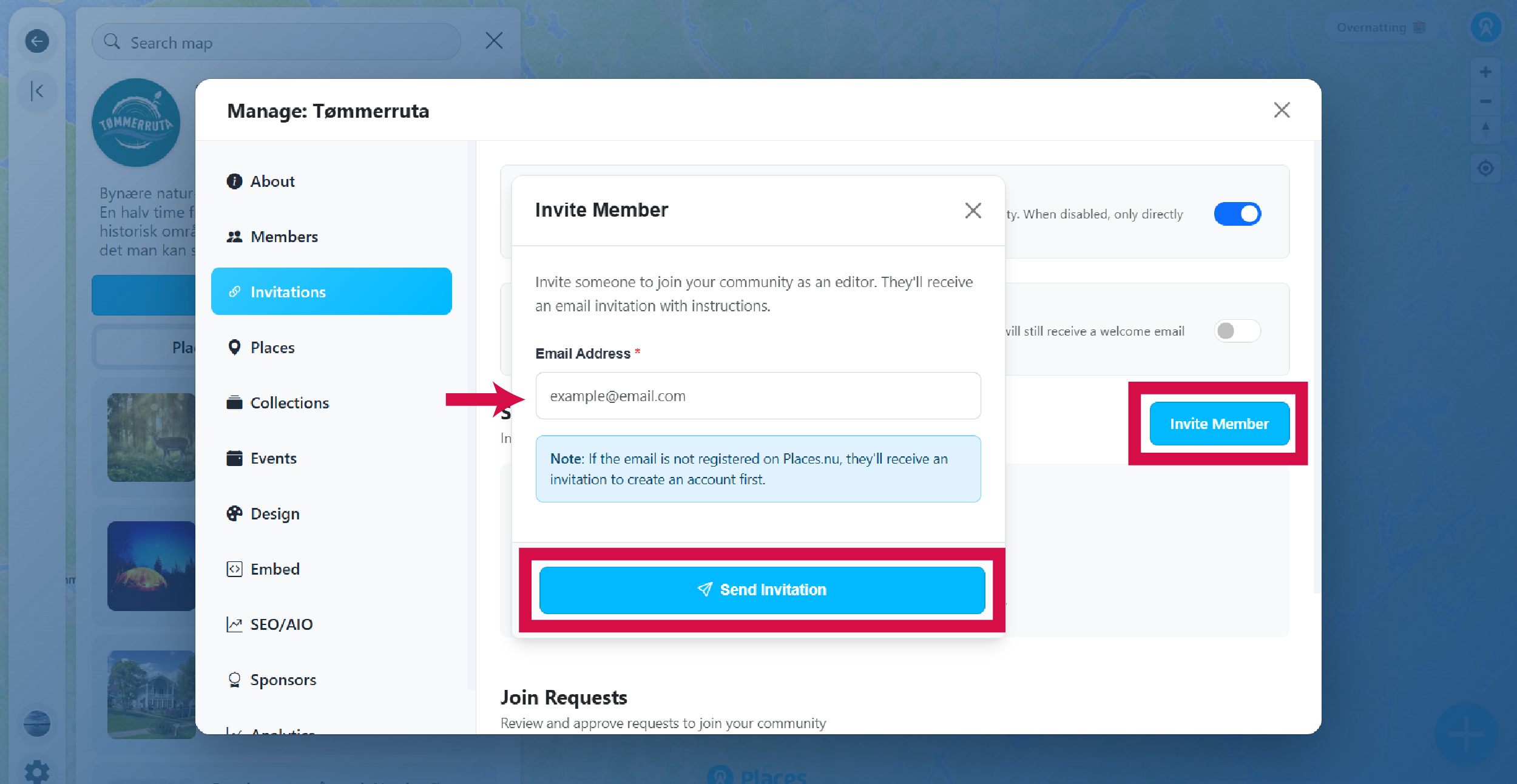
Go to the Members section
Here you have an overview of all members in your community. New members are automatically assigned the Editor role. This is where you can upgrade an editor to moderator status, or downgrade a moderator back to editor.
-
Accept join requests
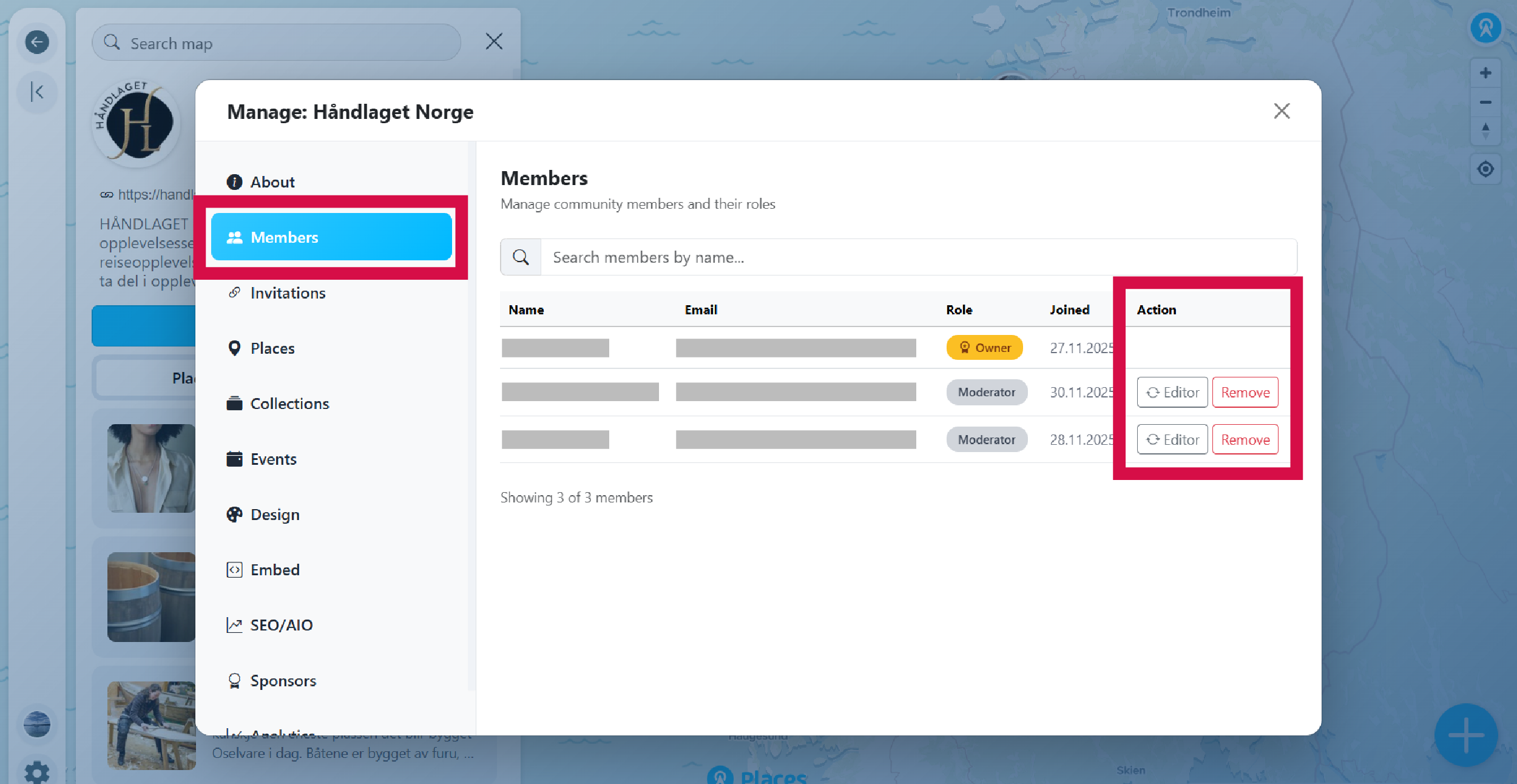
Go to the section called Invitations. Here you have two toggles:
- Allow public join requests: When enabled, users can see a "Join to edit" button and request to join your community. When disabled, only directly invited users can join.
- Auto-approve join requests: When enabled, users who request to join are automatically approved as editors. They will still receive a welcome email and can be removed later.
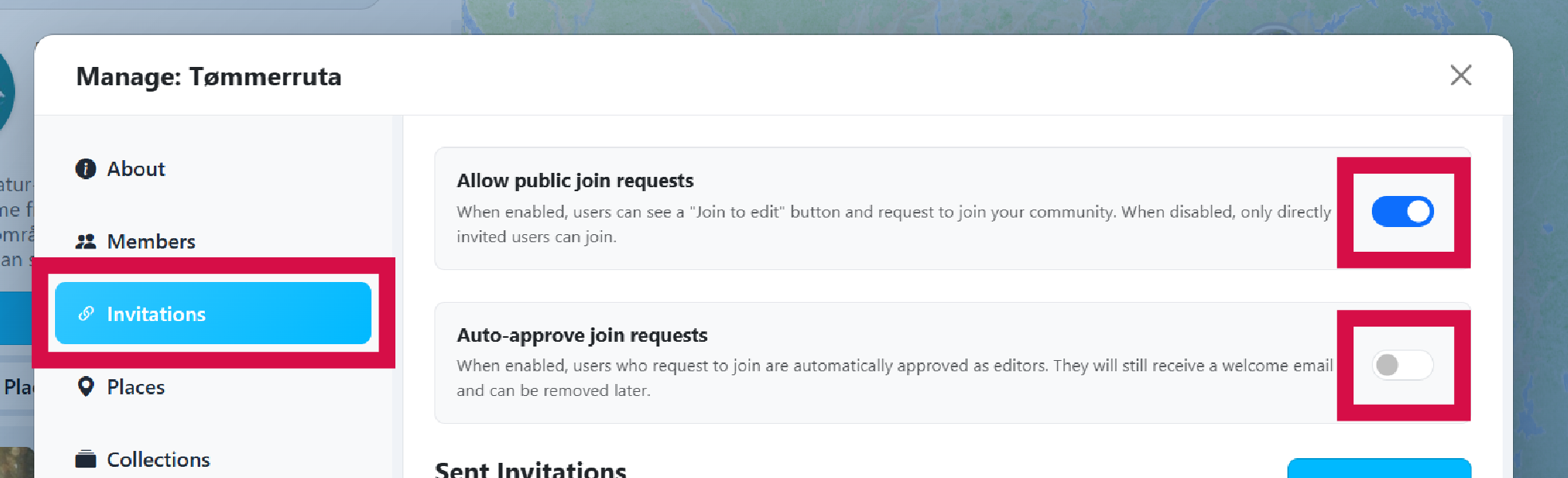
If your community allows public join requests, pending requests will appear in the table below the toggles.
- An email notification is sent to the community owner when a new request is made.
- Review the request and click Approve or Deny.
- After approval, a welcome email is automatically sent to the new member.
- The approved member is added to your members list as an editor.
-
Send invitations
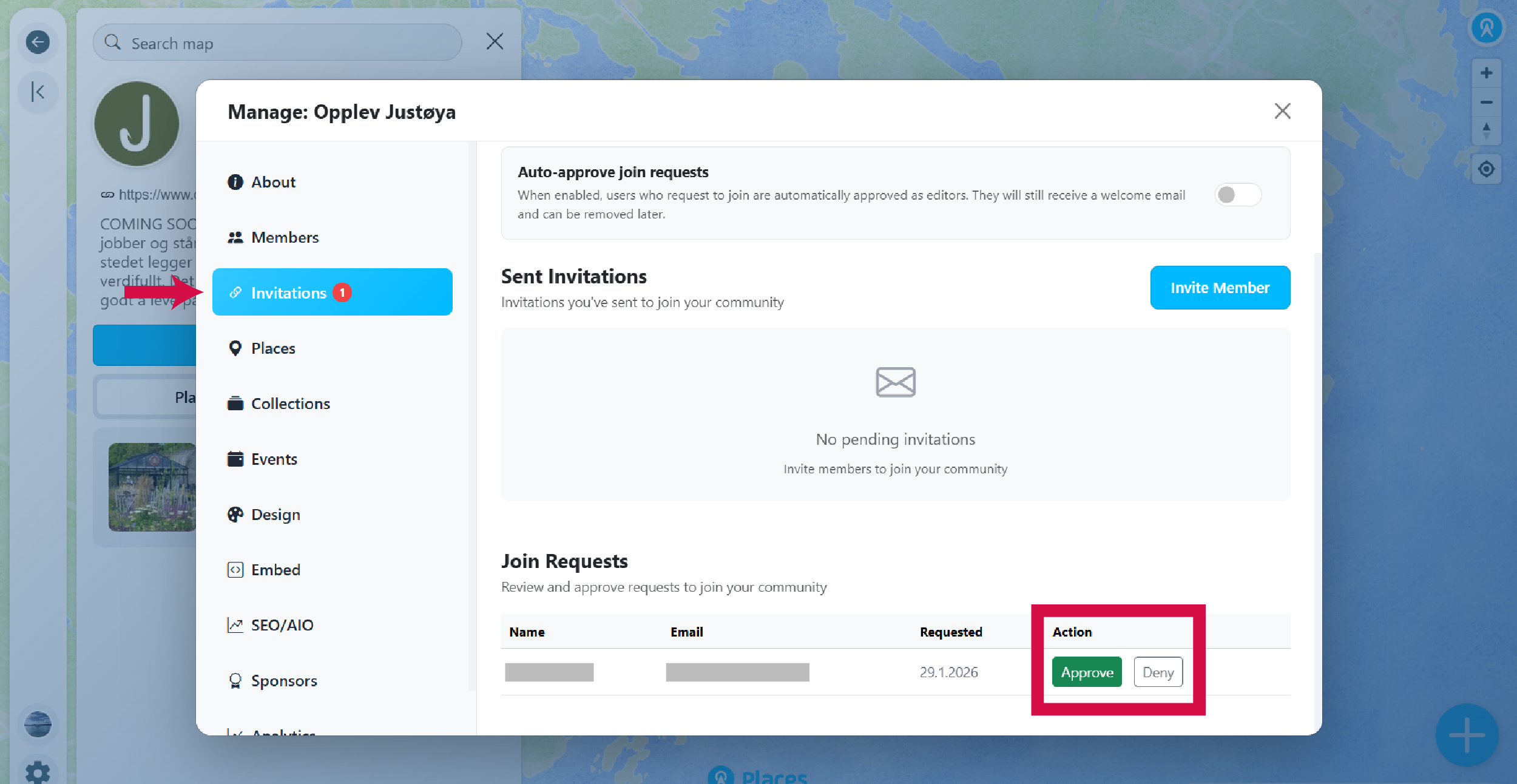
You can also directly invite specific people to join your community:
- Click Invite member.
- Enter the email address of the person you want to invite.
- Click Send invitation.
The invitee will receive an email with instructions on how to create an account (if needed) and join your community as an editor. Once they accept, they will appear in your members list.