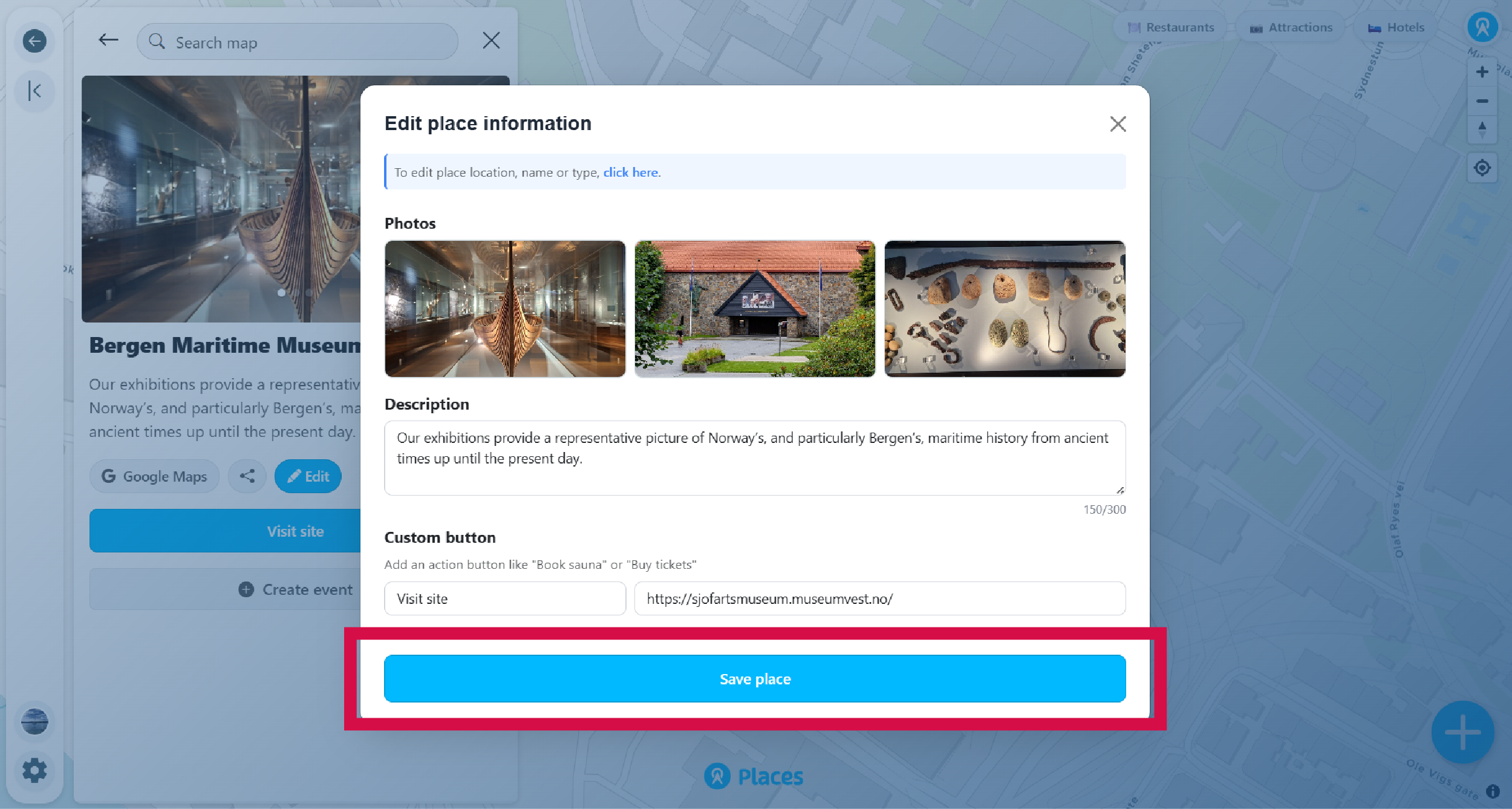
Keep your places accurate and up to date. You can edit any place information, update photos, or adjust the location at any time.
-
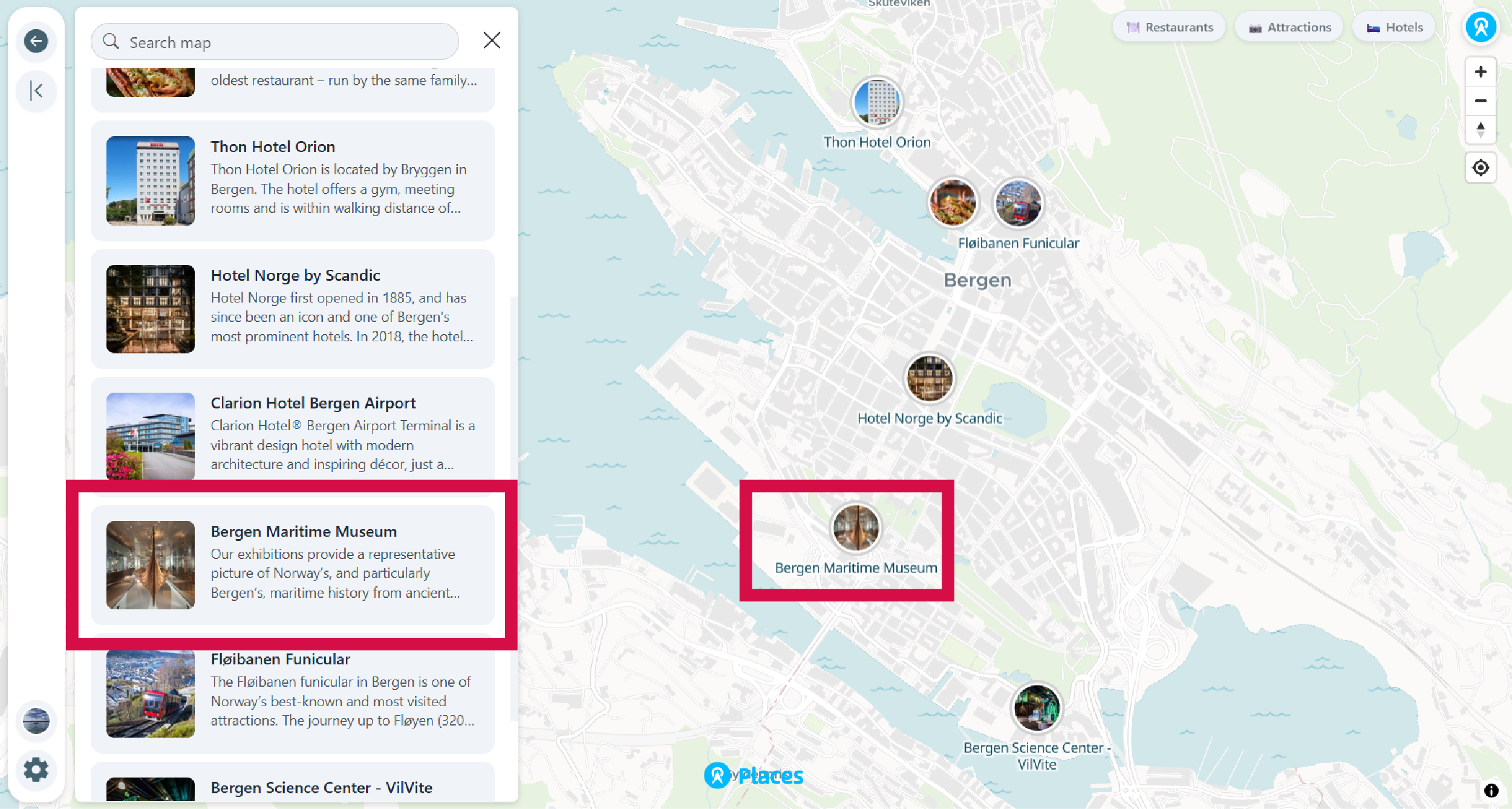
Find the place you want to edit
Click on the marker on the map or find it in the places list.
-
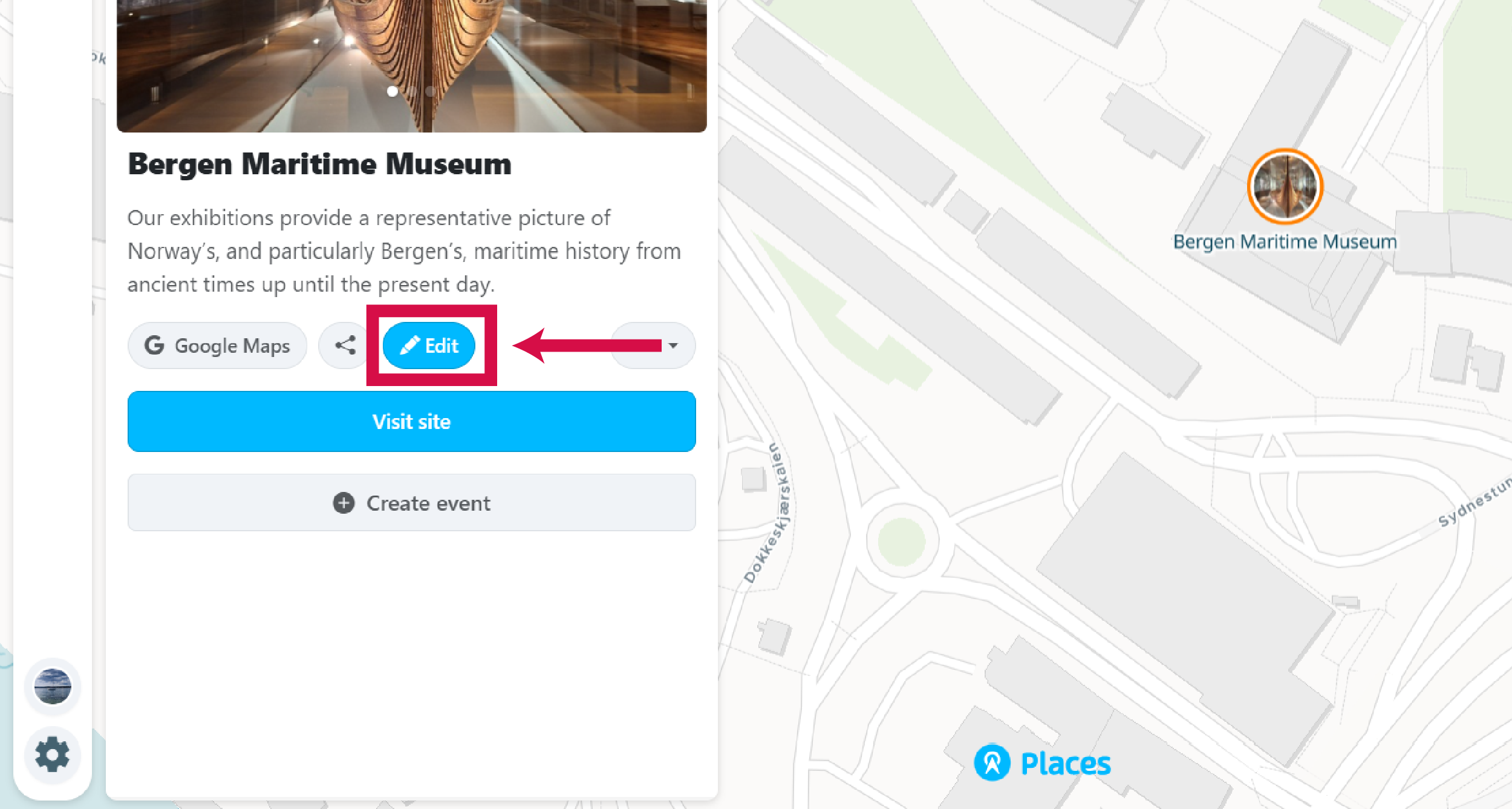
Click the Edit button
Look for the pencil icon in the place details panel. Only visible to owners, moderators, or editors.
-
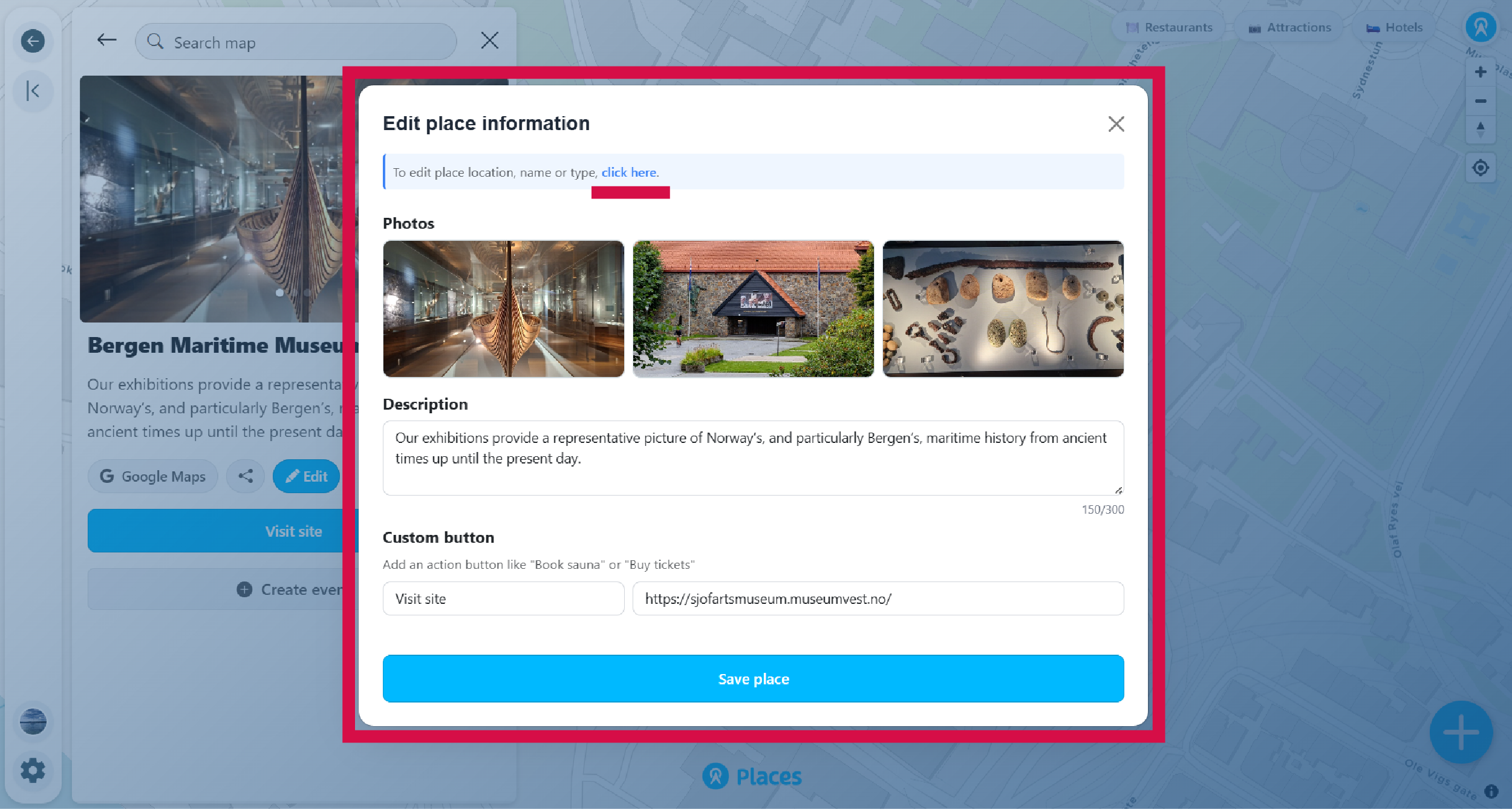
Update the information
Edit photos, description, or custom button text and URL. To edit the place's location, name, or website, click the link at the top of the edit panel.
-
Save your changes
Click Save to apply your changes. The place will be updated immediately on the map.